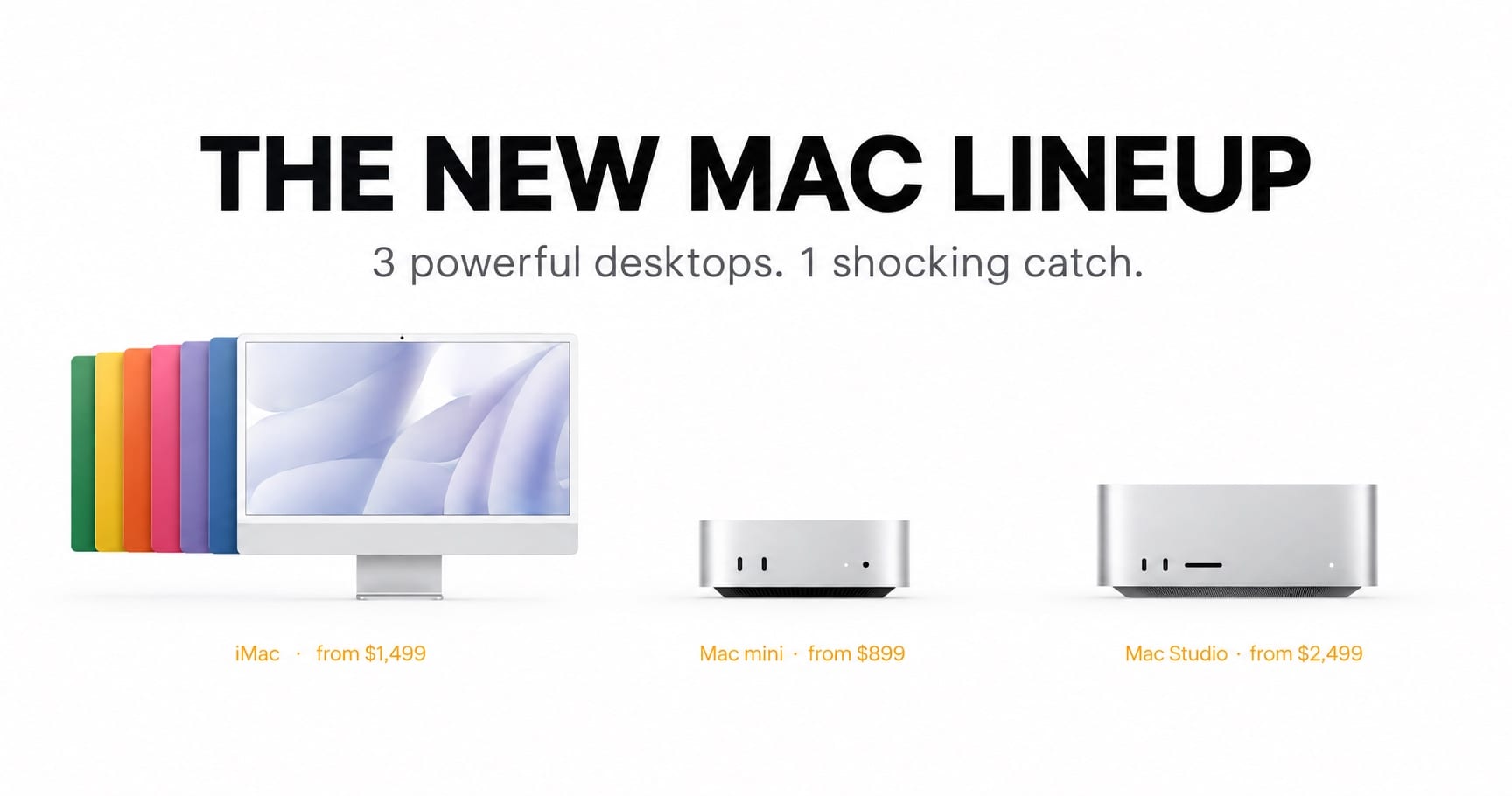

iMac, Mac mini and Mac Studio all just got faster chips, familiar designs and higher price tags. Here is what changed, whether it is any good, and which one deserves your money.
The new Mac lineup is the biggest performance leap Apple’s desktops have seen in years, and it is also the most expensive one. Within ten weeks, Apple refreshed all three of its mainstream desktops. The Mac mini and Mac Studio were announced on August 25 and went on sale on September 22. The iMac followed on October 27, with deliveries starting November 6. Inside are a 2nm M6 chip, an M5 Pro, an M5 Max and a brand-new quad-die M5 Ultra. Outside, the story is quiet. The price list is not.
This review is based on Apple’s published specifications, official U.S. pricing and independent test data available as of October 29, 2026. It is an analysis rather than a hands-on lab test, and I flag every figure that is an Apple claim instead of a verified result. The goal is simple: what changed, is it good, and which one should you buy?
Quick verdict: The new Mac lineup is much faster where it counts and almost identical where you can see it. It is a superb upgrade if you can accept higher entry prices.
New Mac Lineup at a Glance: Prices, Chips and Release Dates
| Model | Chip | U.S. starting price | On sale |
|---|---|---|---|
| iMac (24-inch) | M6, 10-core CPU/GPU | $1,499 | November 6 |
| iMac (24-inch) | M6, 12-core CPU/GPU | $1,699 | November 6 |
| Mac mini | M6 | $899 | September 22 |
| Mac mini | M5 Pro | $1,699 | September 22 |
| Mac Studio | M5 Max | $2,499 | September 22 |
| Mac Studio | M5 Ultra | $5,499 | September 22 |
Prices are U.S. starting prices before education discounts. The 512GB memory option for the M5 Ultra was due in late October, so confirm current pricing on Apple’s Mac Studio page.
What Changed in the New Mac Lineup: The M6 Chip Takes Center Stage
Apple built the M6 on a 2-nanometer process. In the Mac mini it has a 12-core CPU, a 12-core GPU with a Neural Accelerator in every core, and a dual 16-core Neural Engine. Apple skipped the M5 for both the Mac mini and the iMac, so anyone coming from an M4 machine leaps past a whole generation.
Early Geekbench 7 listings put the M6 at 4,071 single-core and 22,783 multi-core. The M5 reference scores, taken from a 14-inch MacBook Pro, were 3,641 and 17,948. That is roughly 12% faster in single-core and 27% faster in multi-core. Treat those numbers with care: a desktop and a laptop cool differently, and Geekbench measures short bursts rather than sustained work. You can browse live results in the Geekbench Browser. Independent testing points the same way. Engadget’s Mac mini M6 review measured a 16.5% single-thread gain over the M4 Pro Mac mini and a graphics score about 30% above the M5 MacBook Pro.
In daily use, that means faster exports, smoother large photo libraries and shorter waits on code builds. The bigger shift is on-device AI. Apple put Neural Accelerators in every GPU core and is clearly aiming this new Mac lineup at people who run language models locally. Its claim of up to five times faster prompt processing on the iMac comes from one specific LM Studio test, so consider it a best case, not a promise.
What Did Not Change: Same Designs, Better Wireless
The new Mac lineup keeps every enclosure. The iMac retains its 24-inch 4.5K Retina display (4,480 × 2,520 pixels, 500 nits, P3 color), its 12MP Center Stage camera and its seven colors. The Mac mini keeps its tiny aluminum case. The Mac Studio is visually identical to the 2025 model.
The one change shared across the family is wireless. Wi-Fi 7 and Bluetooth 6 are now standard, and the Mac Studio gets them for the first time.
If you wanted a redesign, the new Mac lineup will disappoint you. If you value familiar ports, stable accessories and zero surprises, it is a relief. For a desktop that sits on your desk for five years, stability is a feature.
The Shocking Catch: The New Mac Lineup Costs More
Apple Mac Price Increase 2026: Why Everything Costs More
Apple has said openly that rising chip costs forced it to start raising prices, and it did so across several products in June 2026. Reports also suggest the company was surprised by business demand for AI-ready Macs, which helps explain why the Mac mini and Mac Studio were hard to find earlier this year.
Price History: Then vs Now
| Model | Original launch price | After June 2026 hike | Today |
|---|---|---|---|
| Mac mini (base) | $599 | $799 | $899 (M6) |
| iMac (base) | $1,299 | $1,499 | $1,499 (M6) |
| Mac Studio (base) | $1,999 | $2,499 | $2,499 (M5 Max) |
| Mac Studio (Ultra) | $3,999 | $5,299 | $5,499 (M5 Ultra) |
The iMac is the only machine whose new chip arrived without another increase. The Mac mini M6 costs $100 more than the June price of the M4 model, and the M5 Ultra costs $200 more than the M3 Ultra did after the hike. Memory upgrades add up quickly too. On the Mac mini, going from 16GB to 24GB adds $200 and 32GB adds $400, which pushes the $899 model to $1,299. Keep that in mind when you budget for the new Mac lineup.
M6 iMac Review: Same Gorgeous Screen, Far More Muscle
What Is New
Beyond the M6 chip, Apple claims up to twice the graphics performance and SSD speed of the M4 iMac. It ships with macOS 27, the next generation of Apple Intelligence and Siri AI. You can configure up to 32GB of memory and 2TB of storage, and the iMac can drive up to two external 6K displays.
What the Base Model Leaves Out

This is where the new Mac lineup nudges you toward the pricier configuration. Apple restricts 2.5 Gigabit Ethernet, nano-texture glass and the four-Thunderbolt-4 port layout to the 12-core model at $1,699. Touch ID is standard on that model too, while $1,499 buyers have to add a Touch ID keyboard as an option. A 256GB base drive is also thin for anyone working with video or big photo libraries.
Who Should Buy the iMac
It is the right answer for families, small offices and creators who want a beautiful all-in-one with no cables to hide. If you already own an M4 iMac, the upgrade is optional, because the screen, camera and design are unchanged. If you want a bigger display, or the freedom to replace the screen separately, a Mac mini plus a monitor is still more flexible.
Verdict: 8/10. A familiar favorite with serious new horsepower and a sensible price relative to June.
Mac mini M6 Review: Still Tiny, No Longer a Bargain
The Mac mini used to be the cheapest way into the Mac. At $899, it is now a considered purchase. Even so, it remains the first machine most people should look at in the new Mac lineup.

Mac mini M6 vs M5 Pro: Which One Fits You?
The M6 model offers a 12-core CPU and GPU, up to 32GB of memory and 2TB of storage, and three Thunderbolt 4 ports. It supports up to two 6K displays plus one 5K display.
The M5 Pro model, from $1,699, is a different class of machine. It offers a 15-core CPU with a 16-core GPU, or an 18-core CPU with a 20-core GPU, up to 64GB of memory at 307GB/s (up from 273GB/s on the M4 Pro), and three Thunderbolt 5 ports. It supports up to three 6K displays. Thunderbolt 5 also enables clustering, so multiple Mac minis can link up to run larger AI models. Apple claims up to four times faster language model processing than the M4 Pro.
A simple rule: pick the M6 for office work, browsing, photo editing, coding and light video. Pick the M5 Pro for 4K video, heavy development, local AI and multi-display setups.
Pros and Cons
Pros
- Excellent single-core speed for everyday work
- The same tiny footprint that made the Mac mini famous
- Wi-Fi 7 and Bluetooth 6 on every model
- The M5 Pro adds Thunderbolt 5 and clustering
Cons
- $899 start, with expensive memory upgrades
- 256GB base storage fills up fast
- The M6 model is limited to Thunderbolt 4 and cannot be clustered
Verdict: 8.5/10 for the M5 Pro, 8/10 for the M6. The M6 is still the best compact desktop for most people. It is just no longer a no-brainer on price.
Mac Studio M5 Ultra Review (and the M5 Max): Pro Power, Pro Pricing
The Mac Studio shows how the new Mac lineup tidies up Apple’s silicon story. After last year’s awkward split between the M4 Max and M3 Ultra, both options now come from the same generation.
M5 Max: The Sweet Spot
The M5 Max Studio starts at $2,499 with 36GB of memory and 512GB of storage. It offers up to an 18-core CPU, a 40-core GPU and 128GB of memory at 614GB/s, about 12% more bandwidth than the M4 Max. It supports up to five displays. Apple claims up to 3.9 times faster AI performance than the previous generation. The price matches the post-hike M4 Max, so you are effectively getting free performance.
M5 Ultra: The Monster
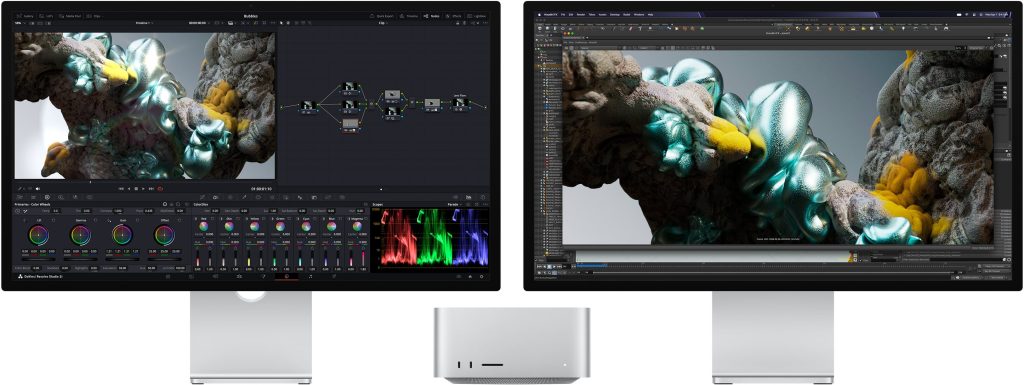
The M5 Ultra starts at $5,499 with 96GB of memory and 1TB of storage. It uses a quad-die design for the first time, with up to a 36-core CPU, an 80-core GPU, 512GB of memory and 1.2TB/s of bandwidth, a 47% jump over the M3 Ultra. Apple says it can handle up to 33 streams of 8K ProRes 422 at once. It also adds Thunderbolt 5 on the front panel and support for up to eight displays. A maxed-out configuration with 256GB of memory and 16TB of storage reaches $18,299.
Who Needs a Mac Studio
Colorists, 3D artists, audio engineers, machine learning developers and anyone whose time is billable. For everyone else, the Mac mini M5 Pro delivers most of the experience for far less money.
Verdict: 8.5/10 for the M5 Max, 8/10 for the M5 Ultra. The Ultra is extraordinary and extraordinarily expensive.
Is the New Mac Lineup Good? The Scorecard
These scores are my editorial judgment based on specifications, pricing and available data, not lab testing.
| Machine | Performance | Value | Overall |
|---|---|---|---|
| iMac M6 | 8/10 | 7.5/10 | 8/10 |
| Mac mini M6 | 8.5/10 | 7/10 | 8/10 |
| Mac mini M5 Pro | 9/10 | 7.5/10 | 8.5/10 |
| Mac Studio M5 Max | 9/10 | 7.5/10 | 8.5/10 |
| Mac Studio M5 Ultra | 10/10 | 6/10 | 8/10 |
Overall, the new Mac lineup earns high marks for engineering and cautious marks for pricing.
Which Machine in the New Mac Lineup Should You Buy?
- Buy the M6 iMac if you want an elegant all-in-one for home or office. Choose the $1,699 model if you want Ethernet, Touch ID or nano-texture glass.
- Buy the Mac mini M6 if you already own a monitor and want the best-value way into the new Mac lineup. Configure at least 24GB if you multitask heavily.
- Buy the Mac mini M5 Pro for video editing, local AI, clustering or multi-display desks.
- Buy the Mac Studio M5 Max if your income depends on sustained GPU and memory performance.
- Buy the Mac Studio M5 Ultra only if you know exactly why you need 512GB of memory and 1.2TB/s of bandwidth.
- Skip the upgrade if you own a recent M4 machine and your work is browsing, documents and email.
New Mac Lineup FAQ
Is the M6 iMac worth upgrading from an M4 iMac?
Only if you need more speed or on-device AI. The display, camera, design and ports are largely unchanged, and the base price is $200 above the 2024 launch.
Can I upgrade the memory later?
No. Memory is part of the chip package on every Mac in the new Mac lineup, so choose the amount you need at purchase.
Should I wait for an M6 Pro or M6 Max?
Apple has not announced them. The Pro, Max and Ultra chips here are M5 generation, so newer versions could follow, but that is speculation. If you need a machine now, buy now.
Final Verdict: A Brilliant but Costly New Mac Lineup
The new Mac lineup is the strongest set of Mac desktops Apple has built, and the M6 is the reason. The iMac keeps a great screen and adds real muscle. The Mac mini remains the smartest compact desktop, even at $899. The Mac Studio delivers workstation-class power for those who can justify the price.
The catch is simple: the new Mac lineup is better and more expensive in equal measure. Compare your options on Apple’s iMac, Mac mini and Mac Studio pages, check current pricing, then buy the machine that matches your actual workload rather than the biggest chip.
Which one are you buying? Tell me in the comments.
Related Articles on IMFounder
- MacBook Pro Touch Screen: 7 Shocking Truths Behind Apple’s Biggest U-Turn
- New Mac mini M6 Is Here: The Powerful AI Upgrade Apple Users Have Been Waiting For
- Apple Vision Pro Layoffs: The Brutal 60-Job Warning That Apple’s Headset Dream Is Changing
- Apple Forgot Steve Jobs’ Most Important Lesson: Design Is How It Works
- The Dark Side of Apple: From Transparent Titan to Narrative Control Machine?