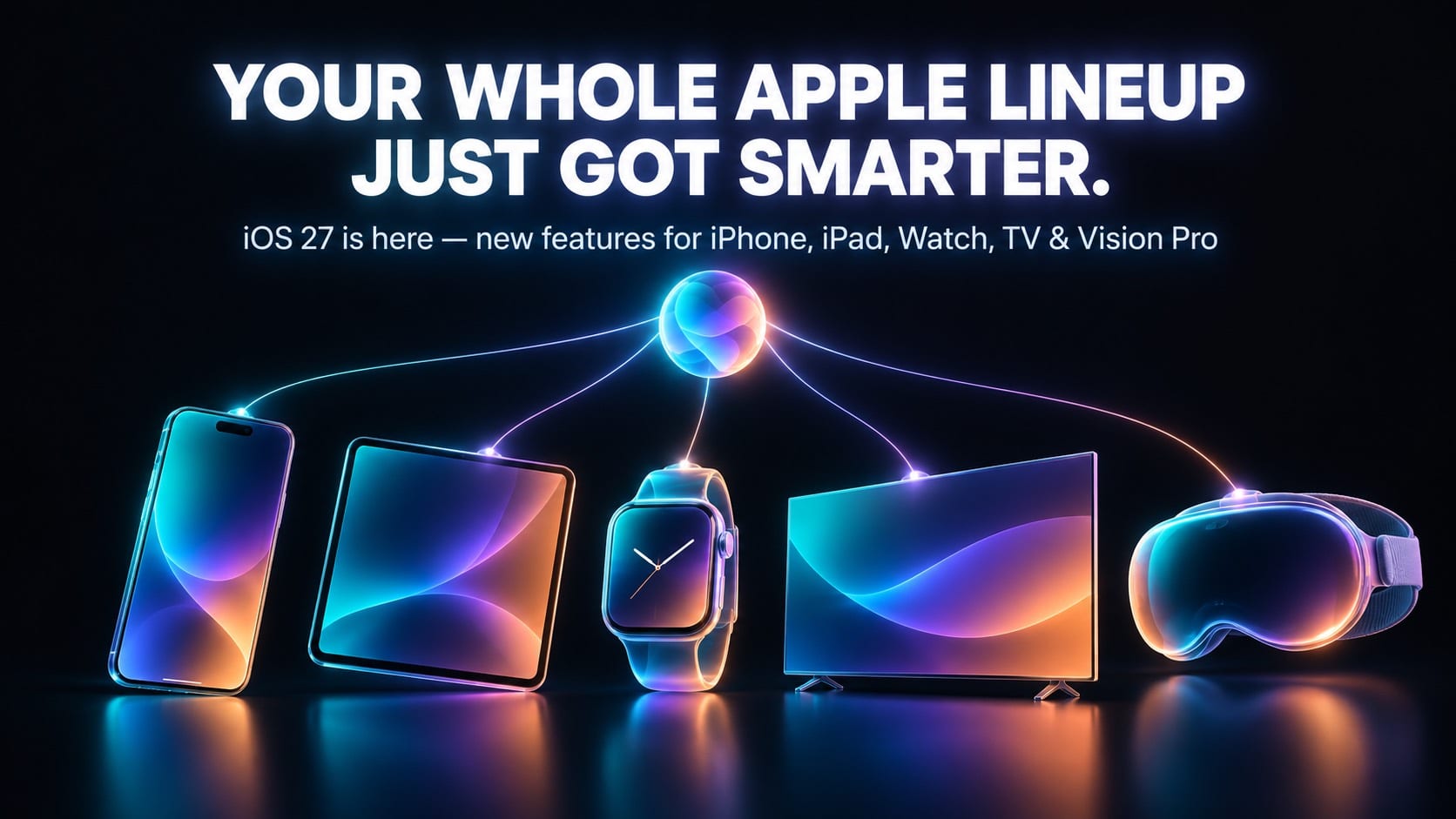

From the iPhone in your pocket to the Vision Pro on your face — here’s every new iOS 27 feature across Apple’s entire device lineup, Mac not included.
The iOS 27 update is officially rolling out, and this year it isn’t just an iPhone story. Released on September 14, 2026, iOS 27 shipped alongside iPadOS 27, watchOS 27, tvOS 27, and visionOS 27 — meaning every non-Mac device Apple sells got a meaningful update on the same day. Together, they represent Apple’s first major fall software cycle under new CEO John Ternus, who officially took over from Tim Cook on September 1, and the company used the moment to make its biggest bet yet: Siri AI, a rebuilt assistant Apple has spent more than two years — and one very public delay — trying to ship.
If you own more than one Apple device, this is the guide that actually matters: what changed on your iPhone, what’s different on your iPad, what your Apple Watch and Apple TV picked up, and what Vision Pro owners finally got. (Running a Mac? That update, macOS 27 Golden Gate, gets its own dedicated guide — the changes there are different enough to deserve separate coverage.)
Quick answer: The iOS 27 update adds Siri AI (a conversational, dedicated Siri app with personal context and on-screen awareness), a customizable Liquid Glass interface, and faster performance to iPhone. iPadOS 27 adds external display support and a more desktop-like multitasking system. watchOS 27 and visionOS 27 both get their own version of Siri AI, while tvOS 27 focuses on smaller quality-of-life upgrades. All five updates are free and available now.
What Is the iOS 27 Update? A 60-Second Overview
Apple announced the iOS 27 update at WWDC 2026 on June 8, alongside every other operating system it makes. That’s part of a naming shift Apple made in 2025 — software is now numbered by year rather than by version count, which is why iOS 27 follows iOS 26 instead of jumping to “iOS 20.” After a public beta that ran all summer, Apple shipped the finished iOS 27 update to everyone on September 14, 2026.
Unlike iOS 26, which was mostly a visual overhaul (that’s when the glassy “Liquid Glass” design first appeared), iOS 27 is a functionality release. The headline feature, Siri AI, has been the subject of leaks, delays, and internal reshuffles inside Apple since 2024, and this is the version where it finally ships publicly — even though Apple is still labeling parts of it “beta.”
iOS 27 Update Release Date and Which Devices Qualify
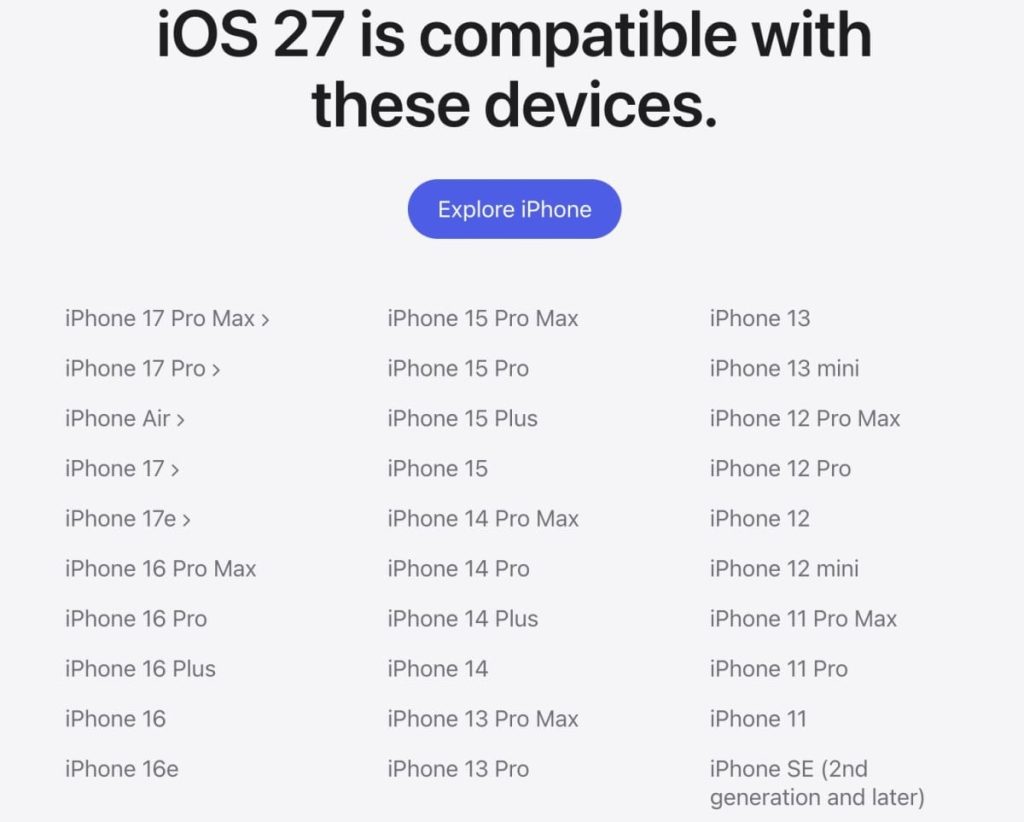
The iOS 27 update installs on every iPhone that already runs iOS 26 — the iPhone 11 and second-generation iPhone SE onward, plus the entire iPhone 17 lineup and Apple’s new foldable, the iPhone Duo. That’s the widest net Apple has cast for a major release.
The AI features are gated more tightly. Siri AI and the rest of Apple Intelligence only run on the iPhone 15 Pro, iPhone 15 Pro Max, and any iPhone 16, 17, or 18 model. Older, non-Pro iPhones install iOS 27 fine and get the performance and design improvements, but not the new Siri app or generative tools.
For the rest of the lineup: iPadOS 27 supports the second-generation iPad Pro and later, the fourth-generation iPad Air and later, the sixth-generation iPad mini and later, and the A16 iPad (Apple Intelligence still needs an M-series chip or the A17 Pro iPad mini). watchOS 27 works with recent Apple Watch models but needs a paired, Apple Intelligence-compatible iPhone to power Siri AI. tvOS 27 supports the second-generation Apple TV 4K and later — the original Apple TV 4K and Apple TV HD are no longer supported. visionOS 27 runs on both Vision Pro models, the original M2 version and the newer M5 refresh, though voice customization is M5-only.
The 7 Biggest Features in the iOS 27 Update (iPhone)
1. Siri AI: Apple’s New Brain for Your iPhone
This is the feature everyone’s been waiting for. Siri AI is a ground-up rebuild of Apple’s assistant, with its own dedicated app for the first time. According to Apple’s own release notes, the new Siri is designed to “find what you need and get more done,” drawing on personal context from your messages, mail, and photos, plus onscreen awareness and general world knowledge pulled from the web.
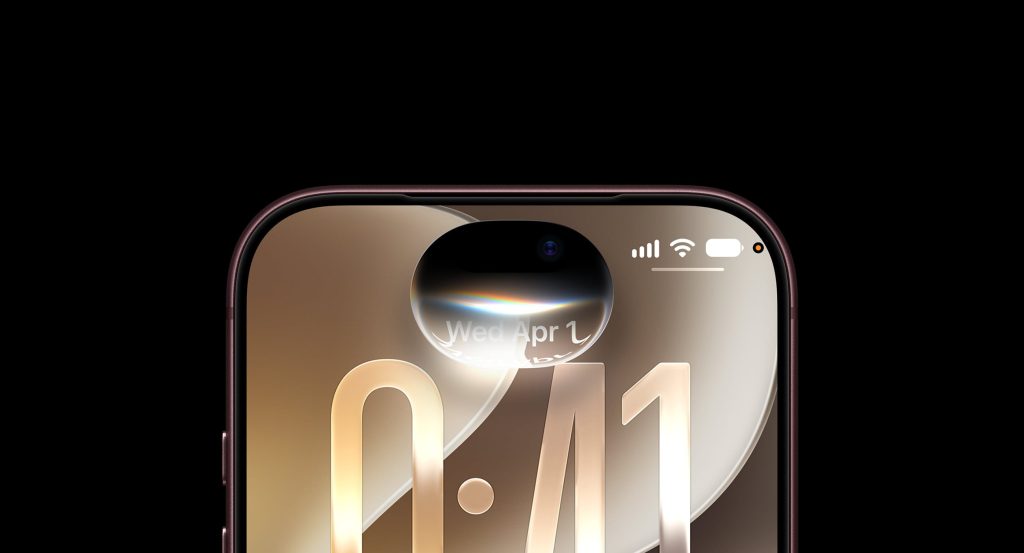
Practically, that means Siri AI can hold a real back-and-forth conversation instead of resetting after every command, understand what’s currently on your screen, take actions inside apps rather than just opening them, and draft or edit text through a new “Write with Siri” tool. There’s also a Siri mode built into the Camera app, and more expressive, customizable voices you can tune for pace and tone.
The catch: Siri AI is rolling out as a beta, starting in English only. Apple has said French, Japanese, Korean, Portuguese, and Spanish support is coming in October 2026.
2. Liquid Glass 2.0 Finally Gets a Dimmer Switch
When Apple introduced the translucent “Liquid Glass” design language in iOS 26, reaction was mixed — plenty of users found it distracting or hard to read. iOS 27 doesn’t abandon the look, but it fixes the biggest complaints: improved contrast and refraction uniformity, sharper app icons, and a new slider in Settings that lets you dial the effect anywhere from ultra-clear to fully tinted.
3. Photos and Safari Get Real AI Upgrades
Photos gains Spatial Reframing and a new Extend tool that widens the frame of an existing shot using generative fill — handy for turning a portrait photo into a usable wallpaper. Safari now automatically groups open tabs by topic, and a new “Notify Me” feature can watch a webpage and alert you when something changes, like a price drop or restock.
4. Messages, Mail, and Shortcuts Get Smarter
Messages picks up personalized Smart Reply and a new in-line drawing tool. Mail search is noticeably more accurate, and Shortcuts can now build multi-step automations from a plain-language description. Apple also quietly added “iPhone Handoff,” which lets two iPhones share a single phone number, along with new video-app support in CarPlay, a visual overhaul of Apple Maps’ Flyover feature, and expanded perimenopause and menopause tracking in the Health app.
5. Speed: Up to 30% Faster Everything
Apple claims app launches up to 30% faster, Photos library loading up to 70% faster, and AirDrop transfers up to 80% faster than iOS 26. A new Connectivity Assist feature smooths the handoff between Wi-Fi and cellular, and Spotlight, Photos, and Mail search all return more relevant results.
6. Stronger Child Safety Controls
Families get three new tools: Ask to Browse, which requires parental approval before a child can visit a new website; Time Allowances, for setting app-specific usage budgets; and Schedules, for blocking device use during set hours.
7. The Small Fixes That Matter Most
A compact clock display mode, extra-large Home Screen widgets, separate volume controls for different alert types, and an AI-powered Extend tool for cropped Lock Screen wallpapers round things out. It’s the kind of release where the small stuff ends up mattering almost as much as Siri AI does.
iPadOS 27 Features: Turning Your iPad Into a Real Computer
If there’s one device that benefits most from this cycle, it’s the iPad. iPadOS 27 features build directly on the windowing system Apple introduced in iPadOS 26 — resizable floating windows, Stage Manager, and an Exposé-style multitasking view — and refine nearly every rough edge power users complained about.
The biggest addition is proper external display support, something iPad users have requested for years. There’s now a persistent, customizable menu bar borrowed from macOS, redesigned traffic-light window controls, and app names displayed in the status bar so it’s obvious which window is active. Apple also expanded its CPU scheduler to every supported iPad, which should mean snappier performance even on non-Pro models, and iPhone apps running on iPad can now be resized larger instead of staying locked to a small window.
Smaller but useful changes include faster context menus with a cursor, quicker AirDrop and text recognition, a more power-efficient Safari, and a Mail badge that finally stops showing inflated unread counts. Combined, it’s Apple’s clearest signal yet that it wants the iPad taken seriously as a productivity device, not just a media tablet with a keyboard case.
watchOS 27 Features: Siri AI Arrives on Your Wrist
watchOS 27 features bring the same Siri AI system to Apple Watch through a new dedicated Siri app. Press the Digital Crown and the Dynamic App Grid now shows the Siri app front and center. Because a smartwatch can’t run Siri AI on its own, the Watch relies on a paired, Apple Intelligence-compatible iPhone to process requests — but once it does, your conversation history syncs automatically across iPhone, iPad, and Mac, so you can start a question on your wrist and finish reading the answer somewhere else.
Not every change has landed well: some longtime Watch users have reported losing a quick app-switching gesture they relied on daily, a reminder that even a feature-packed release comes with trade-offs for existing habits. Beyond Siri, watchOS 27 also brings incremental improvements to the Smart Stack and expands the Health Sensing System’s background monitoring.
tvOS 27 and HomePod: The Quiet Upgrades
Compared to everything else in this cycle, tvOS 27 is the modest release — and notably, Siri AI isn’t part of it at launch, despite shipping everywhere else. What Apple TV owners do get: a redesigned Podcasts app with full video-podcast support and sidebar navigation, an optional larger-text accessibility mode, a more responsive Control Center, simplified game-controller pairing, and 24-bit lossless audio over a compatible receiver or DAC. AutoMix, Apple Music’s AI-assisted feature for blending song transitions by key and tempo, has also been improved.
HomePod Software 27 ships alongside it, and its clearest new feature is that same improved AutoMix — though it only works if your iPhone is also running the iOS 27 update. One convenient addition: you can now update your Apple TV’s software directly from the Home app on iPhone without touching the Apple TV itself.
visionOS 27 Features: Apple Vision Pro Gets Its AI Moment
visionOS 27 features finally bring Siri AI to Apple Vision Pro, letting the assistant answer questions about whatever you’re currently looking at, plus a new Siri “orb” you can place anywhere in your physical space. Apple says wireless performance is up to three times faster in this release, which matters a lot for a device streaming high-resolution content constantly.
Other additions include a new extra-small widget size for placing more information around a room without clutter, a Web Environments API that lets developers launch a full 360-degree scene directly from Safari, and the ability to preview and edit 3D models straight from a paired Mac. Quick Look now supports annotations on 3D objects, panorama photos can convert into explorable spatial environments, and there’s a new Icelandic environment called Thórsmörk featuring the northern lights.
Siri AI Explained: One Assistant, Every iOS Device
Every release in this cycle — iOS 27, iPadOS 27, watchOS 27, and visionOS 27 — shares one connective thread: Siri AI iOS 27 has been rebuilt from the ground up, and it’s the same underlying system following you from device to device. It’s worth understanding what’s powering it, because it’s more complicated than “Apple made Siri smarter.”
Multiple outlets, including TechRadar, have reported that Siri AI’s conversational abilities are supported in part by a partnership with Google’s Gemini models, layered alongside Apple’s own on-device systems for anything involving personal data — Apple hasn’t detailed the exact split publicly. Developers digging through the beta code have also found references to a “Model Delegation” framework, which appears to let third-party AI assistants plug into Siri as extensions, similar to how ChatGPT is already built in.
Regionally, rollout is uneven. Siri AI launches in beta in English first, with more languages arriving in October. Apple says it’s continuing to expand availability across regions, including the EU, as regulatory requirements are met.
Should You Install the iOS 27 Update Right Now?
For most people, yes. iOS 27 spent an entire summer in public beta — Apple ran through eight developer betas and multiple release candidates before shipping — a longer testing runway than several recent releases got. The performance improvements alone are worth having even if you never touch Siri AI.
The exceptions are narrower than you’d think. If your iPhone is older than an iPhone 15 Pro, you’ll get the update but skip the AI headline features, which may make the upgrade feel less urgent on that specific device. If you depend on a niche third-party app for work, it’s worth confirming the developer has updated it for iOS 27 or iPadOS 27 before updating a primary device. Otherwise, back up first, and go ahead — across iPhone, iPad, Watch, TV, and Vision Pro alike.
How to Install the iOS 27 Update (Step by Step)
- Back up your device. Use iCloud (Settings > [your name] > iCloud > iCloud Backup) or connect to a computer first.
- Free up storage. Software updates typically need a few gigabytes of free space to download and install.
- iPhone or iPad: Go to Settings > General > Software Update.
- Apple Watch: Open the Watch app on iPhone, then go to General > Software Update.
- Apple TV: Go to Settings > System > Software Updates, or update remotely from the Home app on iPhone.
- Apple Vision Pro: Go to Settings > General > Software Update.
- Stay connected to Wi-Fi and keep devices charging until installation finishes — expect longer wait times during launch week.
- After updating, open Settings > Apple Intelligence & Siri on iPhone, iPad, or Vision Pro to opt in to Siri AI.
iOS 27 Update FAQs
Is the iOS 27 update available for my iPhone? If your iPhone currently runs iOS 26, it can run iOS 27 — that covers the iPhone 11 and iPhone SE (2nd generation) onward.
Does iPadOS 27 support my iPad? It supports the 2nd-generation iPad Pro and later, 4th-generation iPad Air and later, 6th-generation iPad mini and later, and the A16 iPad.
Does my Apple Watch need to be near my iPhone for Siri AI? Yes. watchOS 27 relies on a paired, Apple Intelligence-compatible iPhone to process Siri AI requests.
Why doesn’t Apple TV have Siri AI yet? Apple shipped Siri AI to iOS 27, iPadOS 27, watchOS 27, and visionOS 27 at launch, but tvOS 27 and HomePod Software 27 were left out this round — reporting suggests it may arrive in a future update.
Is Siri AI free across all my devices? Yes, for now. Apple hasn’t announced pricing for standard usage, though it has said heavier usage of resource-intensive features like image generation may face daily limits.
When is Siri AI coming to more languages? Apple says French, Japanese, Korean, Portuguese, and Spanish support is expected in October 2026, with English available at launch.
The Bottom Line on the iOS 27 Update
The iOS 27 update — and the four sibling releases that shipped with it — is Apple’s clearest attempt yet to bring one consistent AI assistant across every device you own that isn’t a Mac. Siri AI isn’t perfect on day one: it’s in beta, missing from Apple TV and HomePod, and its language support is still catching up. But it’s a real, functional rebuild rather than another year of incremental tweaks. Combine that with faster performance, a more forgiving Liquid Glass design, and an iPad that finally behaves like a computer, and this is one of the rare Apple software cycles worth updating for on day one, on every screen you own.
Related Articles on IMFounder
- New Mac mini M6 Is Here: The Powerful AI Upgrade Apple Users Have Been Waiting For
- Apple Vision Pro Layoffs: The Brutal 60-Job Warning That Apple’s Headset Dream Is Changing
- Apple Upcoming Products: The Secret Roadmap Revealed
- Apple Price Hike 2026: 7 Brutal Tech Increases Destroying Wallets Worldwide
- Apple OpenAI Lawsuit Exposes Shocking Trade Secret Betrayal