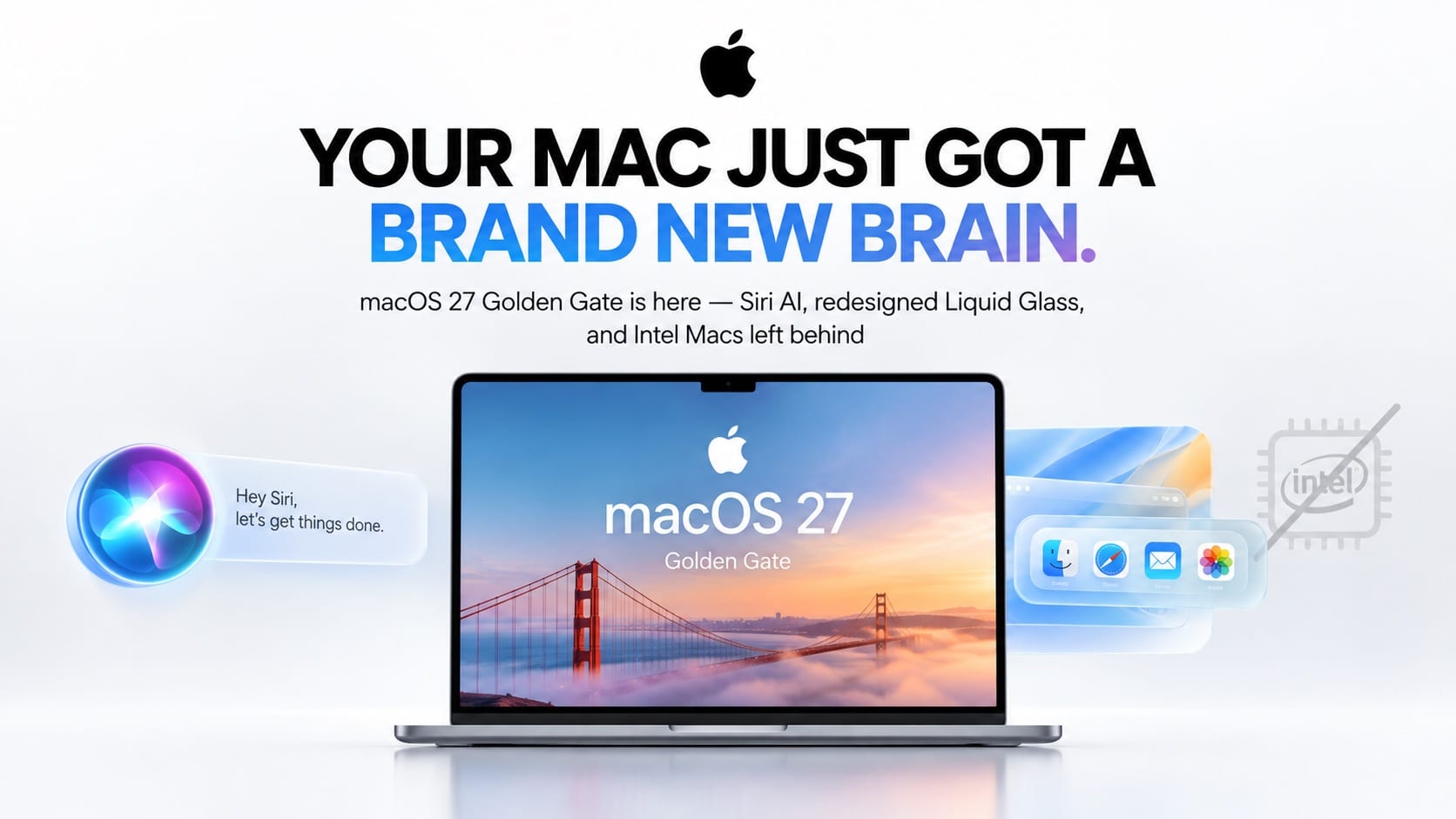

Apple’s biggest Mac update in years drops Intel support for good and brings Siri AI to Spotlight — here’s everything new in macOS 27 Golden Gate, and whether your Mac makes the cut.
macOS 27 Golden Gate is out, and it’s the most consequential Mac release in years — not just because of what it adds, but because of what it removes. Released on September 14, 2026, alongside iOS 27 and the rest of Apple’s fall software lineup, Golden Gate is the first version of macOS built exclusively for Apple silicon, officially ending the road for Intel-based Macs. It’s also Apple’s first major Mac release under new CEO John Ternus, who took over from Tim Cook on September 1, and it arrives carrying the same headline bet as every other Apple platform this year: Siri AI, a completely rebuilt assistant now wired directly into Spotlight.
If you’re wondering whether it’s worth installing, whether your Mac even qualifies, and what’s actually different day to day, here’s the full breakdown.
Quick answer: macOS 27 Golden Gate requires an Apple silicon Mac — Intel Macs cannot install it. It adds Siri AI inside Spotlight, a new standalone Siri app, an AI-powered Shortcuts app, a redesigned Liquid Glass interface with a new transparency slider, and a refreshed traffic-light window design. The update is free.
What Is macOS 27 Golden Gate? A Quick Overview
Apple announced macOS 27 Golden Gate at WWDC 2026 on June 8, following the same year-based naming system it adopted in 2025 — this release is version 27, succeeding macOS Tahoe. True to Apple’s long tradition of naming macOS releases after California landmarks, “Golden Gate” continues that lineage. After a beta cycle that ran from June through early September, including multiple public betas and release candidates, macOS 27 Golden Gate shipped to the public on September 14, 2026.
Apple has described this release as being about refinement as much as new features — smoothing out complaints from macOS Tahoe’s redesign while layering in the new Siri AI system that’s the centerpiece of this entire software generation.
macOS 27 Golden Gate Compatibility: Does Your Mac Qualify?
This is the most important thing to know before you update: Golden Gate only installs on Macs with Apple silicon — an M1 chip or later. If you’re still running an Intel-based Mac, this update isn’t available to you at all, and Apple has confirmed Intel Macs will continue receiving security patches separately rather than getting Golden Gate’s new features.
There’s a silver lining for anyone worried about old software: Golden Gate is described as the last version of macOS with full Rosetta 2 functionality, meaning Intel-built apps will keep running on Apple silicon Macs through translation for now, even though the underlying OS itself is Apple-silicon-only.
One more compatibility wrinkle worth knowing: while the base update runs on any supported Apple silicon Mac, the most advanced Siri AI features require at least an M3 chip with 12GB or more of unified memory. Owners of M1 and M2 Macs will get Golden Gate and most of its features, but not the full AI experience.
The 7 Biggest Features in macOS 27 Golden Gate
1. Siri AI, Built Directly Into Spotlight
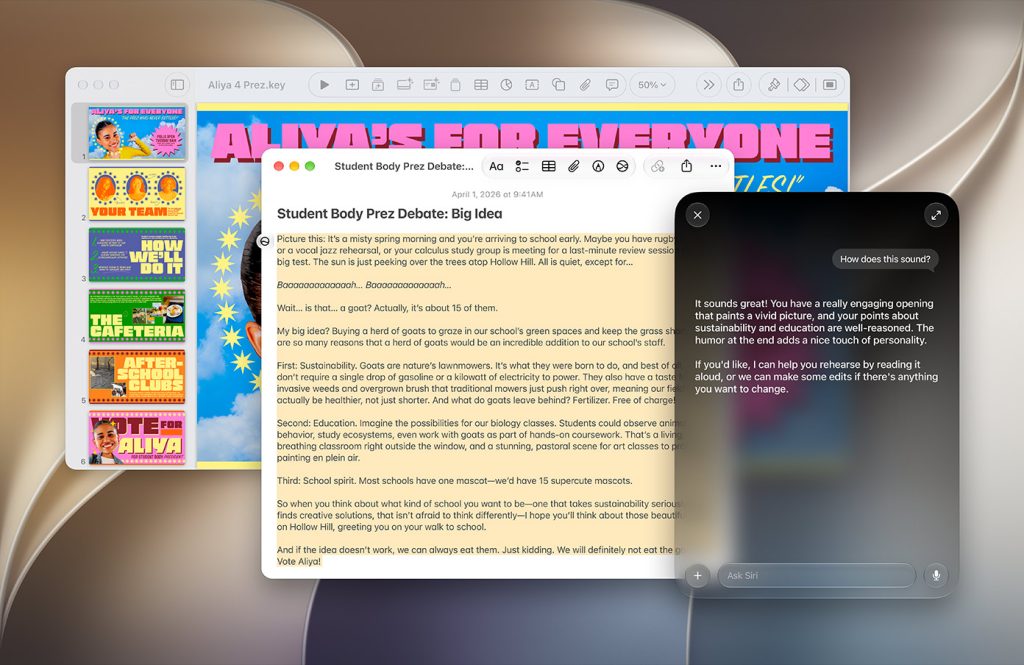
The centerpiece of Golden Gate is Siri AI, and on Mac it lives inside Spotlight rather than a separate search bar. Apple’s own release notes describe it as an “entirely new version of Siri” that’s “more personal, more capable, and more conversational,” integrated so you can search for answers about almost any topic from the same place you already search for files. It replaces the old “Type to Siri” feature entirely and can draw on personal context from your messages, mail, and photos to answer questions or take action across apps.
There’s also a new standalone Siri app for longer conversations, and a “Write with Siri” tool that can draft or edit text inside supported apps.
2. An AI-Powered Shortcuts App
Shortcuts on Mac can now build multi-step automations directly from a plain-language prompt instead of requiring you to assemble them manually. Describe what you want to happen, and Shortcuts assembles the workflow for you — a meaningful time-saver for anyone who’s avoided Shortcuts because of its learning curve.
3. Safari Gets an AI Extension Builder and Pull-to-Refresh
Safari picks up an AI-powered extension builder that can generate simple browser extensions from a description, plus long-requested pull-to-refresh support that now extends across Safari, Mail, News, Podcasts, and Calendar. Apple Podcasts also gains video support on Mac for the first time.
4. Liquid Glass 2.0, With an Actual Transparency Slider
Mac users get the same fix iPhone owners are getting: a new slider in Settings that lets you adjust the Liquid Glass interface anywhere from ultra-clear to fully tinted, addressing the readability complaints that followed macOS Tahoe’s redesign. Apple also improved how Liquid Glass diffuses complex content sitting behind menus and toolbars.
5. A Return to Familiar Window Design
Apple reversed a couple of its own recent design decisions in this release. Window corners are back to a fixed radius, after macOS Tahoe introduced dynamically changing corner radii that some users found inconsistent. The traffic-light window buttons have been redesigned with an Aqua-inspired Liquid Glass look reminiscent of pre-Yosemite macOS, and the classic glove-shaped mouseover cursor is back as well.
6. iPhone Mirroring and Performance Improvements
iPhone Mirroring — the feature that lets you control your iPhone directly from your Mac’s screen — got reliability and speed improvements in this release. Apple also expanded spell correction system-wide, so grammar suggestions and fixes now appear in more places, and added the ability to record internal system audio directly, a feature previously reserved for third-party apps.
7. New Golden Gate Wallpapers, Screensavers, and Small Refinements
Rounding out the release: a set of new Golden Gate-themed wallpapers and screensavers, dozens of accumulated bug fixes and security patches, and general performance tuning across the system that multiple early reviewers have described as making the whole OS feel noticeably more responsive, particularly on older Apple silicon Macs.
Siri AI on Mac vs. Siri AI Everywhere Else
Siri AI isn’t unique to Golden Gate — it’s the same system Apple shipped simultaneously across iOS 27, iPadOS 27, watchOS 27, and visionOS 27. What makes the Mac version notable is where it lives: rather than a separate assistant you summon, it’s woven directly into Spotlight, a tool most Mac users already open dozens of times a day.
Reporting from outlets including TechRadar suggests Siri AI’s conversational capability is supported in part through a partnership with Google’s Gemini models, working alongside Apple’s own on-device systems for tasks involving personal data — Apple hasn’t confirmed the exact architecture publicly. Developer teardowns of the beta have also surfaced a “Model Delegation” framework that appears designed to let third-party AI models act as Siri extensions, similar to the ChatGPT integration Apple already ships.
Availability also differs by region. Mac and Apple Vision Pro users in the EU already have access to Siri AI, a notable exception given the more limited rollout on iPhone and iPad in the region so far. Siri AI on Mac currently runs in English-only beta, with French, Japanese, Korean, Portuguese, and Spanish support expected in October 2026.
Golden Gate vs. macOS Tahoe: What Actually Changed
If you’re deciding whether to jump from macOS Tahoe straight to this release, it helps to know what’s different rather than just what’s new. Tahoe was primarily a visual reset — it introduced Liquid Glass, dynamic window corner radii, and a broad UI refresh that touched nearly every app. Golden Gate keeps that visual language but tunes it based on a year of user feedback: the corner-radius experiment is gone, replaced by consistent fixed corners across every window; the traffic-light buttons have been restyled again; and the transparency slider gives users control Tahoe never offered.
The bigger structural shift is underneath the hood. Tahoe still supported Intel Macs. Golden Gate doesn’t. That single change is why Apple is framing this release less as “the next design chapter” and more as the formal end of an era that started with the Apple silicon transition back in 2020. Combined with Siri AI’s arrival, Golden Gate reads less like an incremental point release and more like the actual sequel to the Apple silicon Mac’s debut.
Early Reactions: What Mac Users Are Saying About Golden Gate
Response in the days after launch has been more positive than Tahoe’s reception a year earlier, largely because Golden Gate is fixing complaints rather than introducing new ones. Longtime users have specifically called out the return of fixed window corners and the new transparency slider as welcome corrections. Performance is the other recurring theme: several early adopters running Golden Gate on M1-generation hardware have described the system as noticeably snappier, with quicker app launches and smoother animations even without access to the newest Siri AI features.
Not every reaction has been glowing. Some longtime Mac users have pushed back on Apple Intelligence being bundled into the OS without a way to fully remove it, even though Siri’s AI functionality itself can be disabled. And Intel Mac owners — a group that includes plenty of Macs bought as recently as three or four years ago — have voiced frustration at being cut off from new features entirely, even while Apple continues shipping them security patches.
Third-Party App Compatibility: What to Check Before You Update
Because this release drops Intel support entirely, it’s worth a quick compatibility pass before updating a Mac you rely on daily. Mainstream apps — browsers, office suites, messaging apps, and most consumer software — were already Apple-silicon-native well before this release and won’t be affected. The higher-risk category is specialized professional software: older plug-ins for digital audio workstations, certain CAD and engineering tools, and niche utilities that haven’t been updated in a year or more are the most likely to run into trouble, either because they still expected Intel hardware or because they haven’t been tested against this specific OS version yet.
A simple way to check: open the app’s official support page or release notes and search for “macOS 27” or “Golden Gate” directly. Most major developers publish compatibility statements within the first few weeks of a new macOS release. If you can’t find confirmation and the software is business-critical, it’s reasonable to wait for the first point update (typically macOS 27.1) before updating a primary machine, while still installing it on a secondary or personal Mac to get familiar with the changes.
How Golden Gate Fits Into Apple’s Bigger AI Push
Zoom out, and Golden Gate is one piece of a much larger strategy. Apple shipped the same underlying Siri AI system across every platform it makes this year — iOS 27, iPadOS 27, watchOS 27, and visionOS 27 all got it simultaneously, with only tvOS 27 and HomePod Software 27 left out at launch. That kind of coordinated rollout across five operating systems in a single week is unusual even for Apple, and it signals how central this AI rebuild is to the company’s roadmap heading into 2027.
For Mac users specifically, that means Golden Gate isn’t really a standalone update — it’s the desktop half of a much larger bet that Siri AI needs to feel identical whether you’re typing into Spotlight, tapping your iPhone, or talking to your Apple Watch. Whether that bet pays off will likely become clearer once the beta label comes off and non-English language support rolls out in the following months.
Should You Install macOS 27 Golden Gate Right Now?
If you have a supported Apple silicon Mac, yes — with one caveat. Golden Gate went through a full summer of public betas and release candidates, so stability is generally solid for a day-one release. The window design changes, Liquid Glass slider, and performance improvements are worth having regardless of whether you use Siri AI at all.
The caveat: if your workflow depends on professional software that hasn’t confirmed Golden Gate compatibility yet — audio production, video editing, or specialized creative tools are the usual suspects — it’s worth checking the developer’s release notes before updating a primary work machine. If you’re on an M1 or M2 Mac, you’ll get the update but not the most advanced Siri AI features, which may make the AI side of this release feel less transformative than it does on newer hardware.
If you’re on an Intel Mac, there’s no decision to make: Golden Gate simply isn’t available to you, and Apple has indicated Intel hardware will continue receiving security-only updates going forward rather than new macOS versions.
How to Install macOS 27 Golden Gate (Step by Step)
- Check compatibility first. Confirm your Mac has an Apple silicon chip (M1 or later) via the Apple menu > About This Mac.
- Back up your Mac. Use Time Machine or a cloud backup before starting any major OS update.
- Free up disk space. Leave several gigabytes free to ensure a smooth download and install.
- Open System Settings > General > Software Update.
- Click Upgrade Now next to Golden Gate, and follow the on-screen prompts.
- Keep your Mac plugged in and connected to Wi-Fi until installation completes; a first-time major upgrade can take significantly longer than a routine update.
- After updating, open System Settings > Apple Intelligence & Siri to opt in and start using Siri AI in Spotlight.
macOS 27 Golden Gate FAQs
Can Intel Macs run macOS 27 Golden Gate? No. Golden Gate is the first version of macOS built exclusively for Apple silicon and does not install on Intel-based Macs.
Is Rosetta 2 gone in Golden Gate? Not yet. Apple says Golden Gate is the last version of macOS with full Rosetta 2 functionality, so Intel-built apps still run through translation on Apple silicon Macs.
Do I need a specific chip for Siri AI on Mac? Basic macOS 27 features run on any supported Apple silicon Mac, but the most advanced Siri AI capabilities require an M3 chip or newer with at least 12GB of unified memory.
Is Siri AI available in the EU on Mac? Yes. Mac and Apple Vision Pro users in the EU can access Siri AI, ahead of full availability on iPhone and iPad in the region.
Is Golden Gate a free update? Yes, it’s a free download for all compatible Apple silicon Macs through System Settings.
What happened to the old “Type to Siri” feature? It’s been replaced entirely. Siri AI is now integrated directly into Spotlight, so typed requests go through the new system automatically.
What happened to the old “Type to Siri” feature? It’s gone. Siri AI is now integrated directly into Spotlight on Mac, so both typed and spoken requests go through the new system automatically.
Does Golden Gate change how Mac storage or memory works? No changes to core storage architecture, but Apple’s expanded spell correction, internal audio recording, and background AI processing can use more memory during active use — one reason the fullest AI experience is reserved for M3 Macs and newer with at least 12GB of unified memory.
The Bottom Line on macOS 27 Golden Gate
macOS 27 Golden Gate marks a clean break for the Mac: Intel support is over, Siri AI is finally baked into the tool most people already use dozens of times a day, and Apple has walked back a few of its own recent design missteps in the process. It’s not a flashy, screenshot-driven redesign like macOS Tahoe was — it’s a refinement release that happens to carry the most significant underlying change to Siri in over a decade. For anyone on a supported Apple silicon Mac, that combination makes Golden Gate one of the more worthwhile updates to install as soon as it’s convenient.
Related Articles on IMFounder
- iOS 27 Update: 7 Amazing New Features for Every iOS Device
- New Mac mini M6 Is Here: The Powerful AI Upgrade Apple Users Have Been Waiting For
- Apple Vision Pro Layoffs: The Brutal 60-Job Warning That Apple’s Headset Dream Is Changing
- Apple Upcoming Products: The Secret Roadmap Revealed
- Apple Price Hike 2026: 7 Brutal Tech Increases Destroying Wallets Worldwide
- Apple OpenAI Lawsuit Exposes Shocking Trade Secret Betrayal